Race Control
Race Control is the tab you run a meeting from — it shows the currently running race: the running order, each driver's laps and gaps, the race clock, and the controls to start, pause and finish the race.
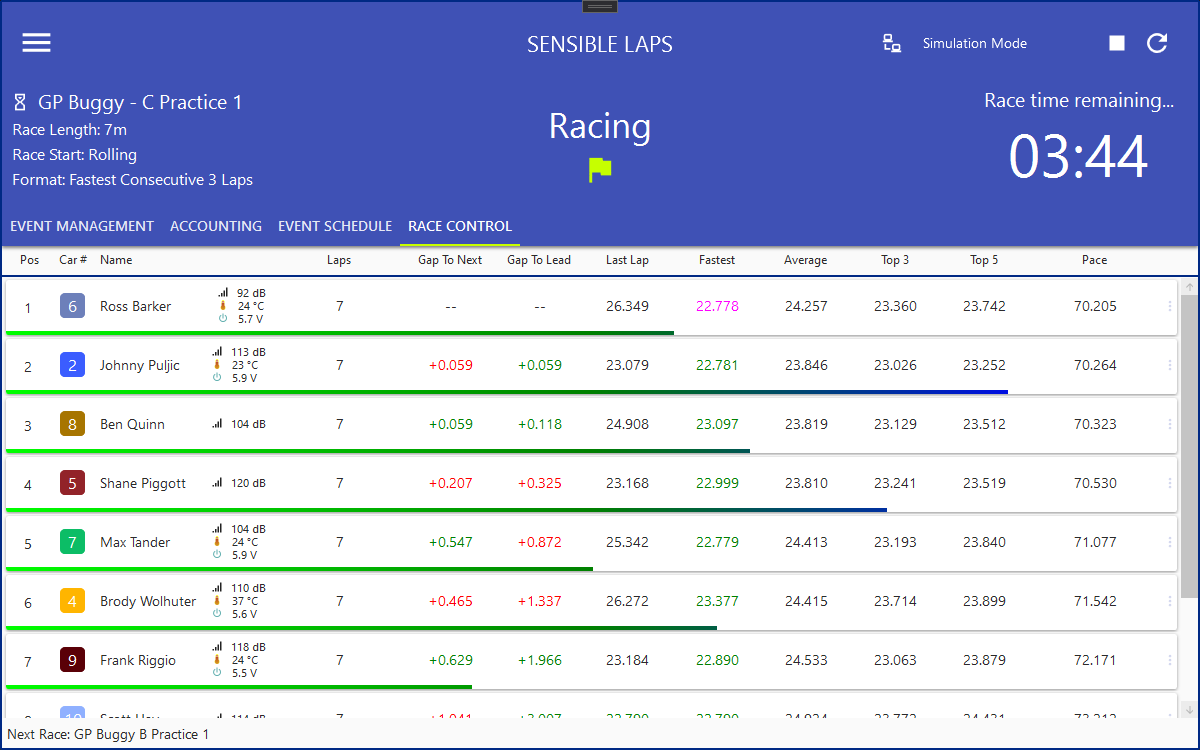
What appears here depends on a few General Settings:
- Show Sensor Data adds transponder signal, temperature and voltage per car (MyLaps RC4 only).
- Show Lap Progress Indicator adds a per-driver progress bar estimating how far through the current lap each car is.
The Control Panel beside it holds the start/stop and race-navigation controls; this tab is the live picture of the race itself.
Tip
The same live race is available in a browser via the web interface — handy for driver-facing screens while you keep Race Control on the timing PC.